Frequently Bought Together layout for WooCommerce
What it is
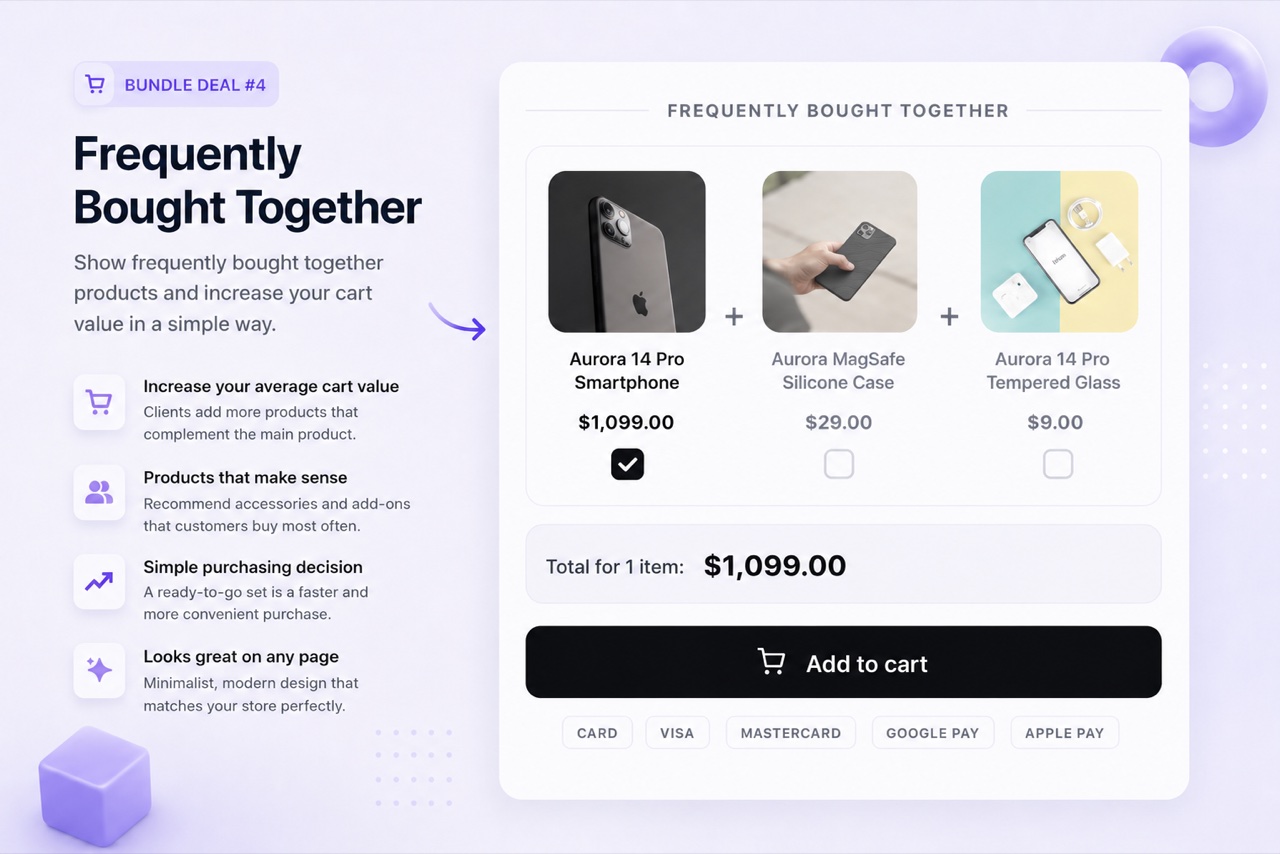
The Frequently Bought Together layout displays 2 to 4 products on the product page that customers typically buy together - the main product plus recommended companions. A combined bundle price and a single "add all to cart" button make the purchase effortless. Items go to the WooCommerce cart individually so refunds, stock management, and order fulfillment all work normally.
When to use it
Use Frequently Bought Together when you have clear product pairings - a camera with a case, a coffee machine with pods, a tool with a replacement blade. It works best when the companion products are genuinely complementary and the customer would plausibly buy both. Avoid attaching unrelated products just to inflate AOV - it reduces trust.
How to set it up
- Create the bundle
In BizBundles, choose the Frequently Bought Together layout. Set the main product and 1-3 companion products. You can optionally set a bundle discount.
- Preview and tune
The live storefront preview shows the FBT widget exactly as it will appear to customers. Adjust the layout, labels, and conversion elements like the free shipping bar.
- Publish
Hit publish and the FBT widget appears below the main product description. Customers add the full set with one click - or deselect items they do not want.
Use cases
Frequently asked questions
Can customers deselect some products in the FBT bundle?
Yes. The FBT layout shows checkboxes for each companion product. Customers can deselect items they do not want before clicking add to cart.
Does the FBT layout work with virtual or downloadable products?
Yes. You can include virtual and downloadable products in the FBT bundle. WooCommerce handles their delivery normally after checkout.
Is a discount required for the FBT layout?
No. You can show the FBT bundle at full price, which is appropriate when the products are genuinely complementary and the value comes from convenience, not a discount.