Addon Stack layout for WooCommerce
What it is
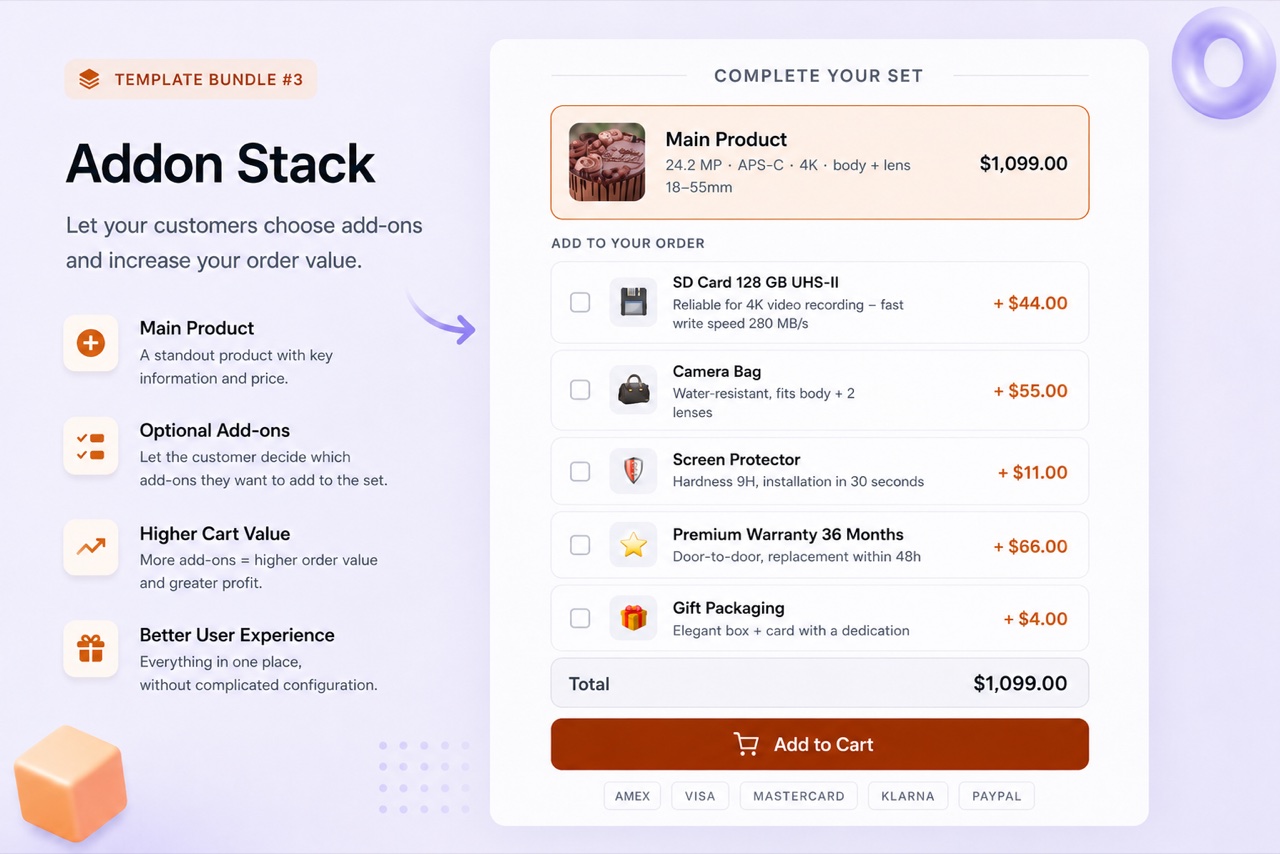
Addon Stack displays a main product plus a list of optional extras directly on the product page. Each extra is a real WooCommerce product that the customer can check or uncheck before adding to cart. Extras are added at their full price - there is no bundle discount on add-ons. This keeps the pricing honest: you are offering genuine complementary products, not disguising price manipulation as a bundle.
When to use it
Use Addon Stack for products that have natural accessories, upgrades, or services that a customer might want to add - a laptop with a case and a mouse, a software license with an onboarding session, a physical product with gift wrapping. It is the configurator layout in BizBundles: the customer builds their own combination.
How to set it up
- Create an Addon Stack bundle
In BizBundles, select the Addon Stack layout. Set the main product and add up to 5 add-on products. Each add-on is a real WooCommerce product with its own product ID.
- Set labels and default states
For each add-on, write a short label and optional description. You can set whether the add-on is checked by default or unchecked. The live preview shows the customer's view.
- Publish
The Addon Stack widget appears on the product page. The customer adjusts their selection and adds to cart. Each selected add-on goes to the WooCommerce cart as a separate line item at full price.
Use cases
Frequently asked questions
Are add-on prices discounted?
No. Add-ons are always added at their full WooCommerce price. BizBundles does not apply discounts to add-ons - they are genuine extras, not a bundled promotional price.
Can I set an add-on as checked by default?
Yes. Each add-on has a "default checked" setting. Enabling it pre-selects the add-on when the widget loads. Customers can still uncheck it before adding to cart.
How many add-ons can I include?
You can include up to 5 add-ons in the Addon Stack layout. For more complex configurators with many options, consider splitting across multiple bundles.