BOGO Sale layout for WooCommerce
What it is
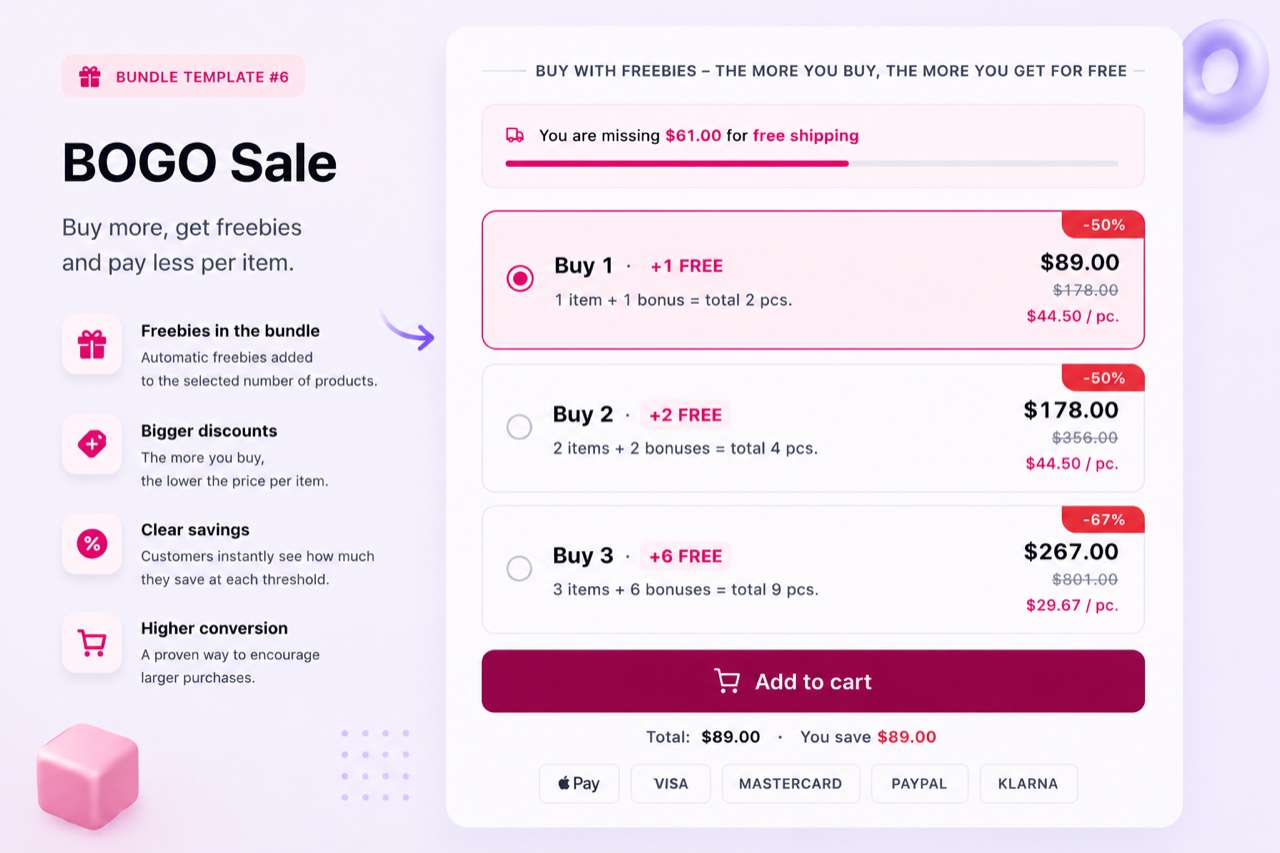
The BOGO Sale layout adds a "buy one, get one free" widget to the product page. It shows the main product and the free item clearly, with both prices crossed out on the free item. When the customer adds to cart, both products go to the WooCommerce cart - the free item at zero price. No coupon, no backend rule, no cart hack. Everything is handled by the native WooCommerce cart.
When to use it
Use BOGO when you want to run a time-limited promotion on a single product - a seasonal sale, a stock clearance, or a new product launch incentive. It is also a strong retention tool: "buy your main product and get a complementary item free" encourages a repeat category purchase. Avoid using BOGO as a permanent pricing strategy for everyday products - it can erode perceived value over time.
How to set it up
- Choose the BOGO layout
In BizBundles, create a new bundle and select the BOGO Sale layout. Attach it to the product where the promotion runs.
- Set main product and free product
Enter the main product and the free product. The free product can be the same SKU ("buy 2 get 1") or a different product ("buy this, get that free"). Set any conversion elements you want.
- Activate and monitor
Publish the bundle. The BOGO widget appears on the product page. You can deactivate the bundle from the BizBundles hub at any time to end the promotion.
Use cases
Frequently asked questions
Can the free product be a different item than the main product?
Yes. You can set any WooCommerce product as the free item - same SKU or a completely different product. The only requirement is that the product exists in your catalog with a valid product ID.
Does the BOGO layout appear correctly on the WooCommerce cart and order?
Yes. The free item appears as a separate line item on the cart, the order, and the VAT invoice at zero price. It is not hidden - the customer sees exactly what they are getting.
Can I run BOGO with variable products?
Yes. Both the main product and the free product can be variable. If they have variations, the customer selects them before adding to cart.